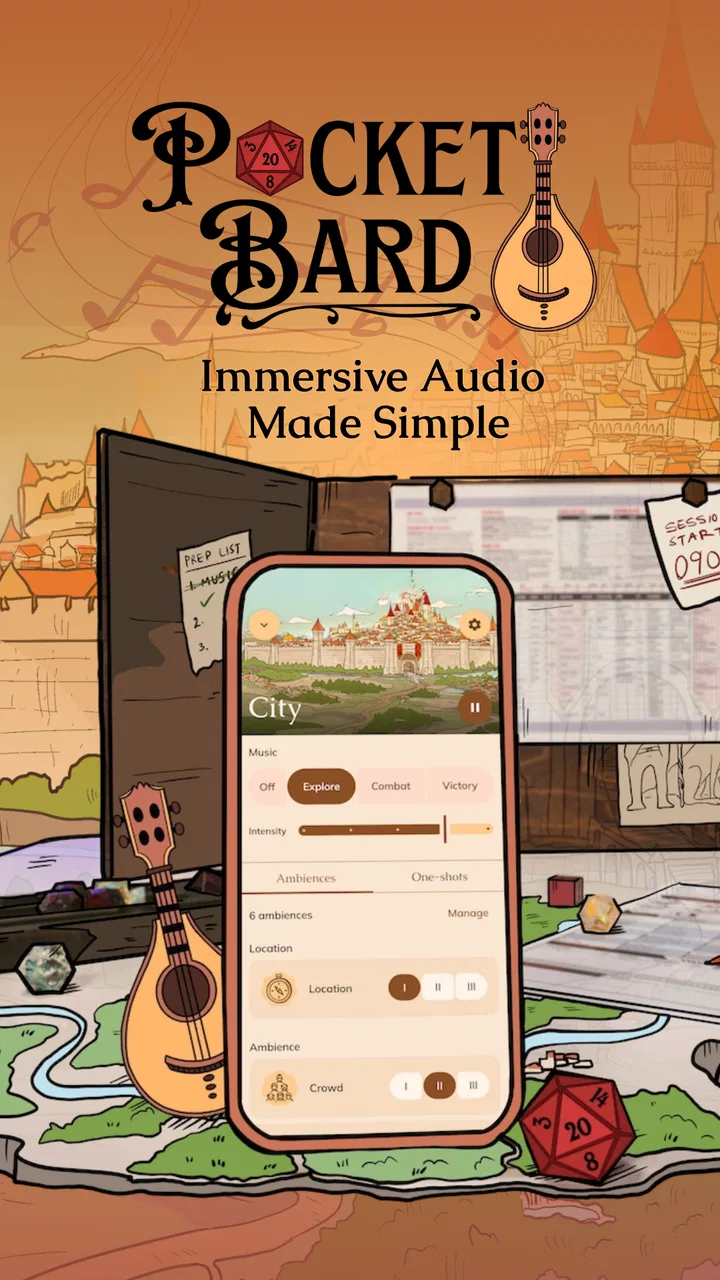
Pocket Bard
- 4.8
- Rating
- 500.00K
- Installs
- Free
- Price

 Analysis by App-foxy
I enjoy tabletop role-playing games most when the atmosphere grows naturally from what is happening at the table. A tense pause before opening a door, distant thunder during a journey, or a quiet melody beneath a character’s confession can make a scene easier to feel. Pocket Bard, an app from Pocket Bard Inc., is built around that kind of live sound support. It sits in the Music & Audio category, but I found it more useful to think of it as a companion for guided storytelling rather than a conventional music player.
After spending time with it, my impression is positive, especially for game masters who want quick background audio without carrying a separate collection of tracks or interrupting the session to search for the right mood. It is free to start, carries a Teen content rating, and its current version is 3.1.17. The app has reached over 500 thousand installs and holds a 4.8 average from around 4.7 thousand ratings, which fits my experience: it is focused, appealing, and easy to understand once I accepted that it is designed for active scene management rather than passive listening.
How Pocket Bard feels to use in a real session
When I use Pocket Bard at the table, I think less about filling every pause and more about making a few transitions feel deliberate. I’ll look at how a small amount of advance planning can keep sound from competing with conversation, then consider what helps the app remain useful once the novelty of adding audio has worn off.
You May Also Like

 Blood Strike: 2.5 Anniversary
Blood Strike’s Loadouts Turn Every Drop Into a Tactical Gamble
A close look at Blood Strike’s custom loadouts: how fast access to signature weapons reshapes its battle royale rhythm, rewards preparation, and narrows the gap between fights.

 Pandora - Music & Podcasts
Pandora’s Music Is Easy to Start, but Harder to Recover
Pandora’s strength is its low-effort path from a seed to a station. Its weak spot is how much confidence it asks you to place in connection, setup, and quiet recovery.

 8 Ball Pool
 Is Built on Rivalries, Rematches, and Routine
A close look at the rivalries, rematches, shared routines, and unanswered safety questions that turn a quick pool match into a persistent mobile community.

 Samsung Music
’s Quiet Strength Is Playing What You Already Own
Its reach comes less from spectacle than from dependable access to a personal library. That simplicity is both the app’s strongest retention engine and its ceiling.

 AccuWeather: Weather Radar
AccuWeather Review: A Quick, Clear Forecast for Everyday Decisions
For everyday plans, the best forecast is the one you can understand quickly. AccuWeather makes rain timing, radar, and local conditions easy to act on, with a few trade-offs.

 Hill Climb Racing
Why Hill Climb Racing Still Turns Crashes Into One More Run
A tiny car, a bumpy hill and one more upgrade: Hill Climb Racing keeps resurfacing because its simple chaos makes every near-miss feel personal.
More From Our News Desk
View All News


Readable navigation matters more than decoration
The first thing I look for in a tabletop audio tool is whether I can operate it while also running a game. Pocket Bard works best when I treat its interface as a set of quick choices: identify the atmosphere, start it, then return attention to the players. That sounds simple, but it is important. A game master should not have to stop narrating for a long search through albums, playlists, or unrelated recommendations.
Its focused purpose gives the experience a clearer shape than a general music service. Instead of beginning with a huge catalog that demands constant filtering, I can approach the app with a scene in mind. That makes it more approachable for someone who has never built a soundboard or organized a role-playing soundtrack before. The learning curve is not about mastering complicated audio production; it is about learning which sounds support my group and which ones become distracting.
I also appreciate that the app’s value is not tied to knowing the names of composers, genres, or musical eras. A player can say, “This scene needs to feel uneasy,” and I can work from that idea rather than translating it into a technical search term. That makes Pocket Bard friendlier for casual game masters, younger users who meet the Teen rating, and groups where nobody wants to act as a dedicated audio operator.
Still, readability is more than recognizing a button. In a dark room, with character sheets and dice on the table, small controls or visually similar choices can slow me down. I recommend preparing likely scenes before the session instead of exploring everything in the middle of play. That habit reduces visual searching and gives me a more reliable routine when the story suddenly changes direction.
Why preparation improves navigation
My most useful workflow is to think in transitions rather than individual moments. I might prepare one atmosphere for travel, another for a threatening location, and a quieter option for conversation. Then I only need to move between broad emotional states. This is more manageable than trying to find a perfect sound for every line of dialogue.
That approach also helps players who process information more slowly. If the audio changes only when the scene genuinely changes, the group has time to understand what is happening. Constant experimentation can create a second stream of information that competes with spoken descriptions. Pocket Bard is strongest when I use it as a subtle layer, not as a performance that demands attention.
For a new user, I would spend a short amount of time testing the app away from the table. Check how quickly a sound can be started, paused, or replaced, and decide which categories make sense for your campaign. This is not busywork. It turns the app from something I am browsing into something I can operate with limited attention.
Supporting different ways of taking part
Tabletop groups rarely have identical needs. One person may respond strongly to music, another may prefer near silence, and someone else may find sudden changes uncomfortable. The main advantage of Pocket Bard is that it gives the group another way to shape the room without requiring everyone to participate in the same way. Players who enjoy atmosphere can benefit from it, while others can focus on the spoken game.
I would not assume that a sound layer automatically improves every session. Some players need clear speech above all else, particularly when they are learning the rules, communicating in a second language, or relying on careful listening. In those situations, I keep the background restrained and make sure the game master’s voice remains the primary source of information.
Motor and sensory considerations at the table
Running audio while rolling dice, checking notes, and responding to players creates a practical motor challenge. The best workflow is one that minimizes repeated tapping. I prefer choosing a sound before the scene begins, keeping the phone or tablet in a stable position, and avoiding unnecessary adjustments once play is underway. This is especially helpful for anyone who finds precise touch gestures tiring or difficult during a busy session.
A tabletop game can also be a visually crowded environment. Printed sheets, miniatures, maps, snacks, and phones compete for space. I would place the device where I can reach it without stretching across the table or blocking another player’s view. That is a small setup decision, but it can make the difference between audio being useful and audio becoming another source of interruption.
Sound sensitivity deserves equal attention. A dramatic effect that works beautifully for one group may be unpleasant for another, especially if it is repetitive, sharp, or unexpectedly prominent. I recommend introducing Pocket Bard gradually. Start with low-key ambience, ask the group whether it helps, and treat silence as a valid choice. The app should support the room’s comfort rather than dictate it.
Volume is another reason to test before play. A sound that seems gentle when heard alone can become tiring after several minutes, particularly in a small room or through headphones. I would rather begin too quietly and raise the level than force the group to talk over the atmosphere. This is one of the clearest trade-offs with any audio companion: immersion depends on presence, but presence becomes interference when it covers speech.
A realistic evening with the app
Imagine a weekday game with four friends joining after work. The game master has limited preparation time and does not want to build a complete soundtrack. Before the session, I would open Pocket Bard and choose a small set of moods for the planned scenes: something unobtrusive for travel, a more uneasy layer for investigation, and a restrained option for the final encounter.
During play, the group spends longer than expected questioning a non-player character. Instead of forcing the next prepared track, I would leave the atmosphere quiet or use the conversational mood until the story moves on. Later, when the players enter an unfamiliar location, I can shift the sound without stopping to search through a general streaming service. The benefit is not that every scene becomes cinematic; it is that the transitions feel intentional.
If one player asks for less sound, I can lower the role of the app rather than treating that request as a problem. A good session may use audio for only a few minutes at a time. Pocket Bard earns its place when it helps those moments arrive smoothly, not when it plays continuously just to prove that it is being used.
Where it sits beside ordinary alternatives
The usual alternative is a music streaming app, a playlist, or a collection of downloaded tracks. Those options can be better when I want a familiar artist, a precise song, long-form listening, or fine control over a personal library. They are also useful when the group already has a soundtrack that everyone knows and enjoys.
Pocket Bard makes more sense when the goal is atmosphere rather than song ownership. Its appeal is the connection between a scene and a sound choice. I do not need to maintain a large playlist for every location in a campaign, and I am less likely to break the story by searching for something that matches the moment.
There is a trade-off, though. A specialized tabletop tool may not replace the breadth, discovery features, or personal customization of a full music service. If your group wants recognizable songs, vocal performances, or a carefully sequenced album, a regular player may be the better choice. If you want a flexible layer that follows the emotional direction of a role-playing session, Pocket Bard is more relevant.
Situational access beyond the game table
Although tabletop role-playing is the obvious setting, I can imagine using the app for solo writing, improvisation practice, fantasy-themed reading, or a small creative workshop. In each case, the same principle applies: sound can provide a starting point without requiring a finished playlist. That makes it useful for people who find blank-page work easier when the environment has a gentle emotional cue.
It can also suit a group playing remotely, provided the host has a practical way to let others hear the audio. That part depends on the meeting setup rather than Pocket Bard alone. I would test the arrangement before the session, because audio shared through a call can compete with voices or become compressed. The app may be ready, but the surrounding technology still needs careful balancing.
For travel or casual use, the free entry point lowers the risk of trying it. I can explore whether the concept fits my habits without committing immediately. However, the app includes in-app purchases ranging from $6.99 to $49.99 per item, so I would examine the available options carefully before paying. The right question is not whether more content is automatically valuable; it is whether the additional material matches the kinds of scenes my group actually runs.
That pricing structure makes Pocket Bard easier to recommend as an experiment than as an automatic purchase. A small, regular group may use the same moods repeatedly and find the free experience sufficient. A game master running several campaigns may value broader variety more quickly. I would wait until I understood my usage pattern rather than buying extras because a session happened to go well.
Remaining barriers I noticed
The biggest limitation is the attention audio demands. Even when the controls are straightforward, the game master still has to monitor volume, timing, and whether the sound is helping. Someone who already feels overloaded by rules, maps, initiative, and improvisation may find the app adds one responsibility too many.
There is also a creative barrier. Atmospheric audio cannot solve an unclear scene. If the narration, player expectations, and sound all point in different directions, the result may feel confusing rather than immersive. I use Pocket Bard after deciding what the scene is meant to communicate, not as a substitute for that decision.
Groups with strong sensory preferences should establish boundaries before using it. Ask whether background sound is welcome, whether sudden changes are acceptable, and whether anyone needs a quiet option. This conversation is more important than finding the most dramatic atmosphere. An inclusive session gives players permission to opt out of the audio without losing access to the story.
Another barrier is device handling. If the phone is shared, notifications or other tasks can tempt the operator away from the game. I would dedicate the device to the session as much as possible and keep the app’s role narrow. That is not a special feature of Pocket Bard, but it affects whether the experience feels calm or fragmented in practice.
Who should try it, and who should skip it
I would recommend Pocket Bard to a game master who wants more atmosphere but does not want to become a sound editor. It suits people who enjoy mood-based storytelling, groups that appreciate subtle background texture, and beginners who need a simpler starting point than building a complete audio library.
I would be more cautious if your group prefers total silence, relies heavily on precise spoken communication, or already has a carefully managed soundtrack that everyone loves. I would also skip it for sessions where the game master is already struggling to manage several digital tools. In that case, a single prepared playlist, or no audio at all, may produce a better evening.
The Teen rating is worth keeping in mind when choosing it for a younger group or a mixed-age event. The app belongs in a setting where the organizer has considered the audience and the tone of the material being played. I would not treat the rating as a replacement for checking whether a particular session’s themes and sound choices fit the people present.
My inclusive verdict
After using Pocket Bard as a storytelling aid, I see its strongest quality in the way it lowers the effort required to add atmosphere. It does not ask me to become a musician or curate an enormous library. Instead, it encourages a practical habit: choose sound with purpose, keep it subordinate to conversation, and change it only when the scene needs a new emotional direction.
Its support for different abilities and contexts is therefore partly about flexibility of use. I can keep the audio quiet, use it briefly, prepare choices in advance, or leave it off when the group needs clarity. Those choices make the app easier to adapt, even though the surrounding room, device, and player preferences still matter.
My final recommendation is to try the free version during a low-pressure session before considering any in-app purchase. Give players an easy way to request less sound, prepare a few broad moods, and judge the result by whether conversation becomes easier to inhabit rather than harder to follow. Pocket Bard is at its best when it quietly supports the story and gets out of the way.
For my own use, that balance is the reason I would keep it available. It is not a replacement for every music app, and it will not suit every table. But for a game master who wants accessible, scene-focused audio without turning preparation into a technical project, Pocket Bard is a thoughtful and practical addition.
FAQs for Pocket Bard
01What is Pocket Bard and what can I use it for?
Pocket Bard is an AI-powered companion designed to help with everyday questions, brainstorming, writing, explanations, and general information. During testing, its main value came from providing quick conversational responses in a mobile-friendly format. It can be useful for drafting messages, summarizing ideas, generating creative content, or learning about a topic, although it should not be treated as an unquestionable source of truth.
02Does Pocket Bard require an internet connection to work?
Yes, Pocket Bard generally needs an active internet connection because its responses are generated through online AI services rather than entirely on your device. This means performance may depend on your connection quality, server availability, and the app’s current service conditions. Users should also consider mobile data usage when chatting frequently, especially while traveling or using a limited data plan.
03Is Pocket Bard free to download and use?
Pocket Bard may be available to download without an upfront charge, but the exact features, usage limits, advertisements, or subscription options can vary depending on the platform and current version. Before starting regular use, check the app’s store listing and in-app purchase section carefully. Some advanced capabilities may require payment, while free access could include daily limits or restricted functionality.
04Can I trust Pocket Bard’s answers for important decisions?
Pocket Bard can produce helpful and well-written answers, but its responses may occasionally be incomplete, outdated, biased, or factually incorrect. It should be used as an assistant rather than a replacement for professional advice or independent research. Always verify information involving health, law, finance, education requirements, safety, or current events through reliable and authoritative sources before acting on it.
05What privacy considerations should I know about before using Pocket Bard?
Before using Pocket Bard, review its privacy policy and the permissions requested during installation. Conversations sent to an AI service may be processed on remote servers, depending on how the application is built and configured. Avoid entering passwords, payment details, private documents, confidential work information, or sensitive personal data unless you clearly understand how chats are stored, used, and deleted.
Pros
- Quick access to Bard-style AI assistance on mobile
- Useful for brainstorming
- summaries
- and everyday questions
- Simple interface makes conversations easy to start
- Can help draft messages
- notes
- and creative content
- Convenient for getting assistance while away from a computer
Cons
- AI responses may occasionally contain inaccurate information
- Requires an internet connection for most features
- Privacy concerns may arise when sharing personal information
- Response quality can vary depending on the prompt
- Some features may depend on account access or service availability

Pocket Bard
Gallery